AI-Powered · Android Keyboard · Free

One Keyboard.
Unlimited AI Superpowers.

TypeAura is a smart Android keyboard with AI support for 10+ Indian languages. Live Translate, AI Chat, Text Tools, Smart Reply, Email Composer, Tone Changer — 6 AI tools built right into your keyboard. Powered by LLaMA 3.3.

Android 5.0+ · No login required · Free forever

See it in action

Demo

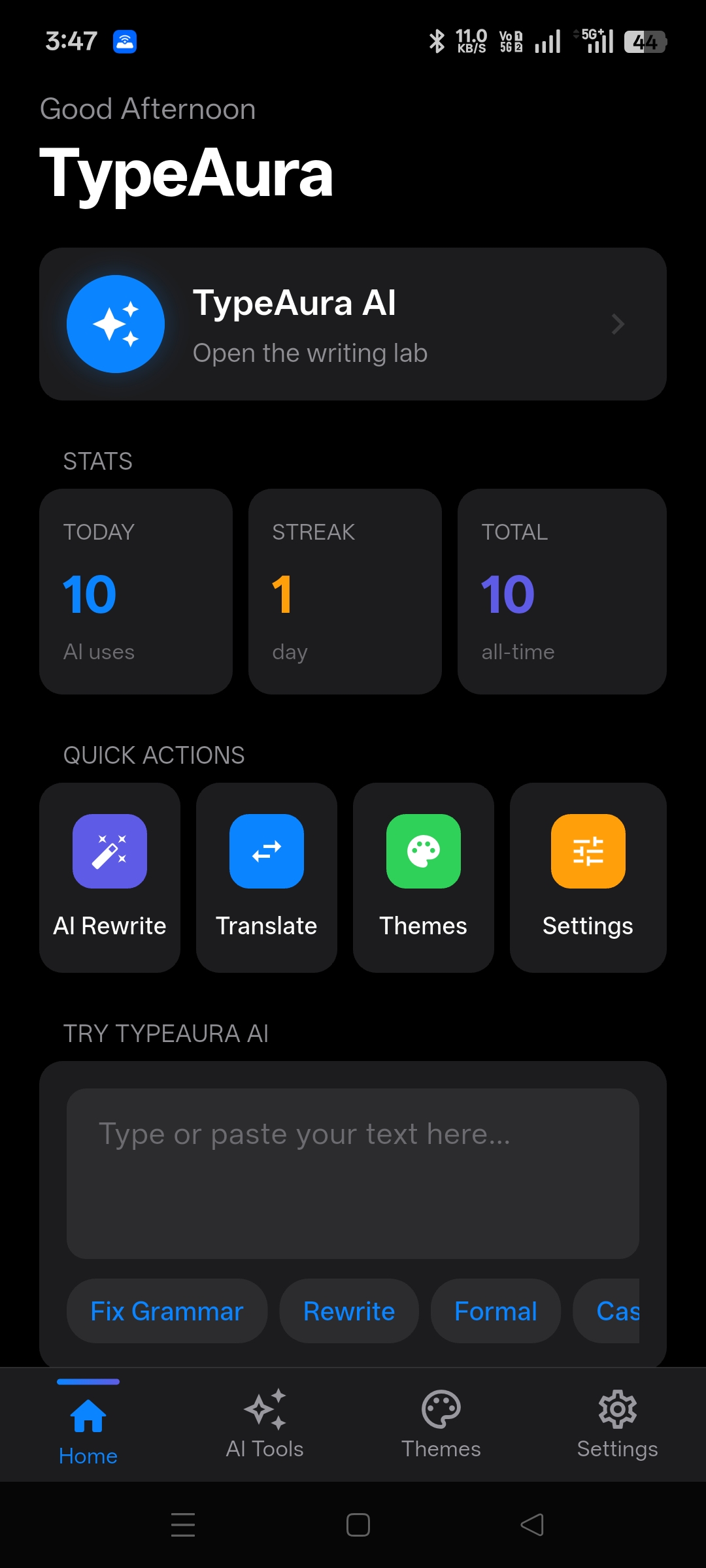
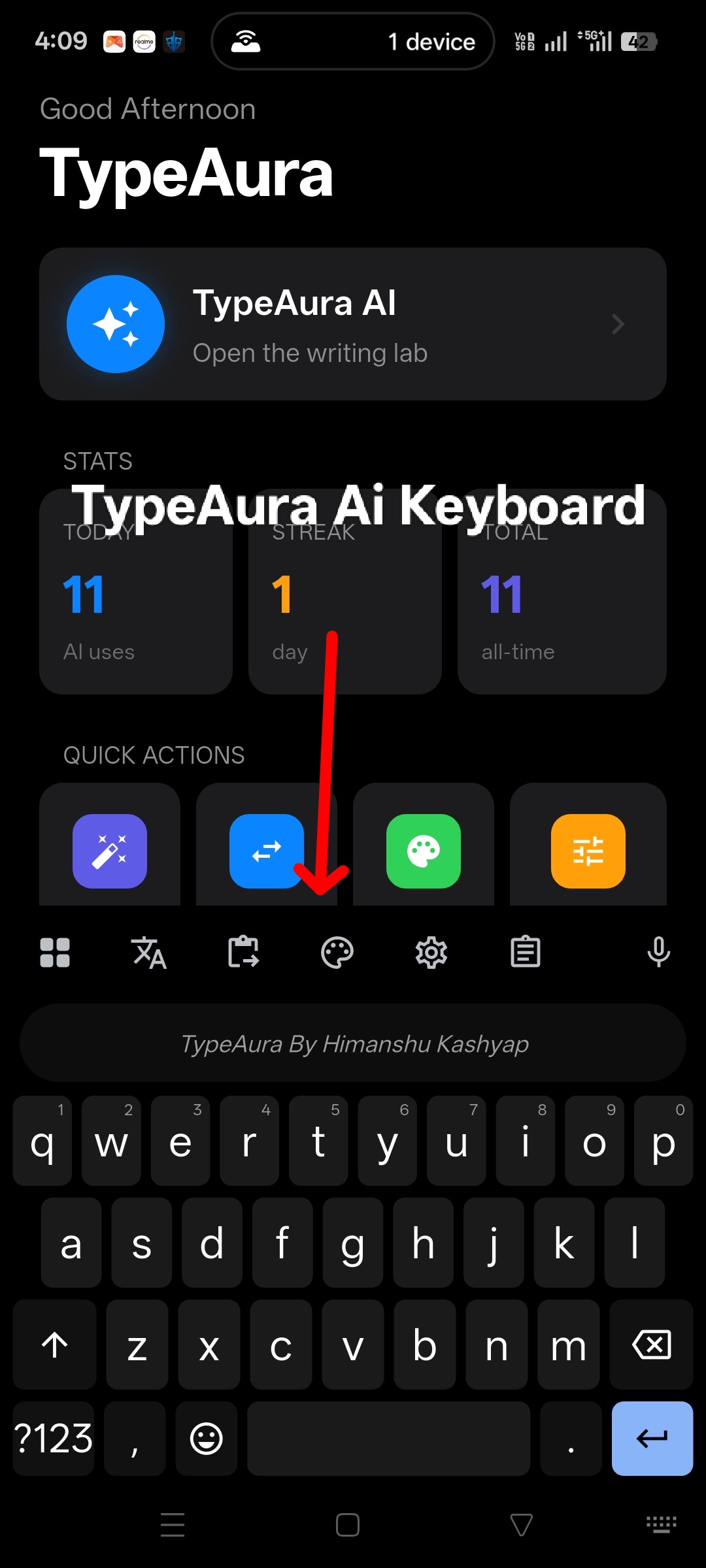
TypeAura Home Screen

Home

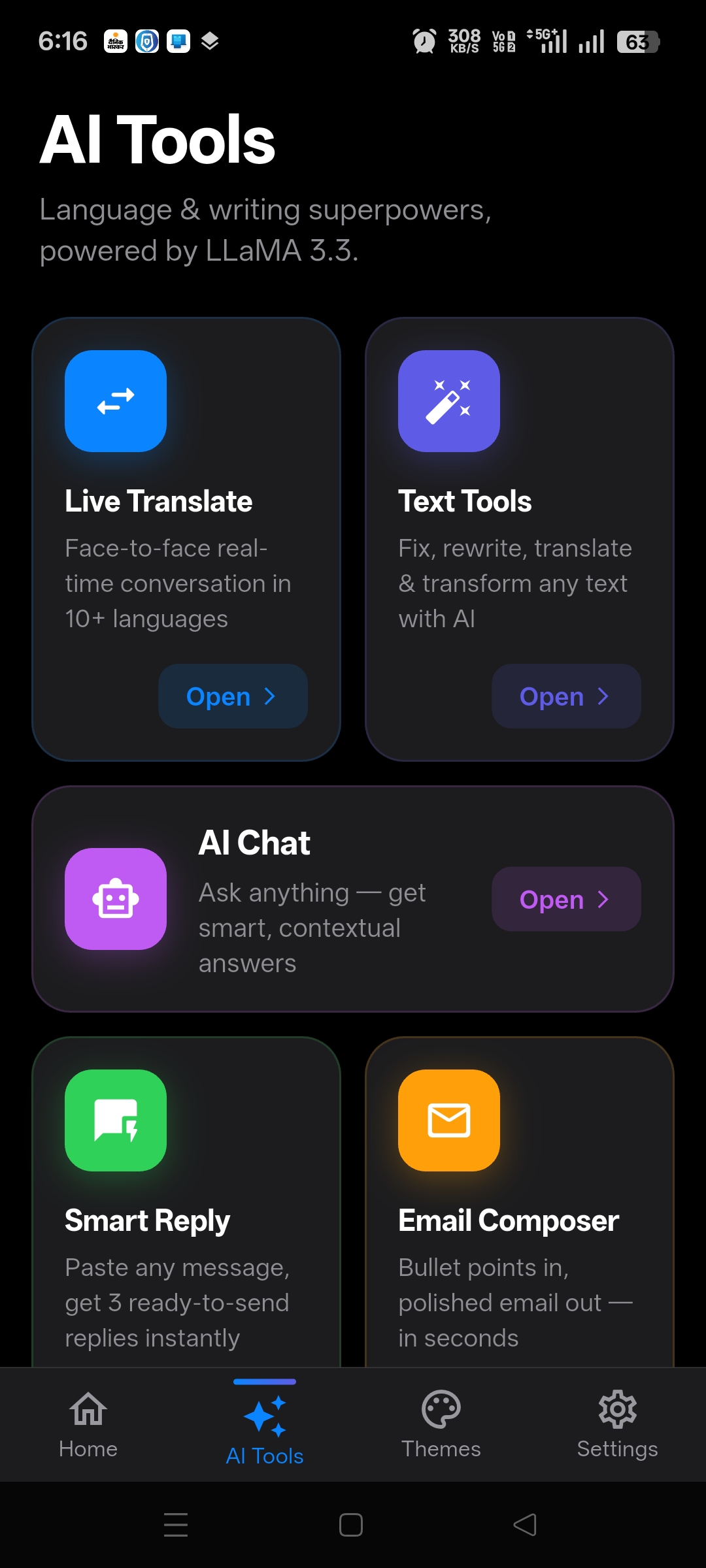
TypeAura AI Tools + Keyboard

AI Tools

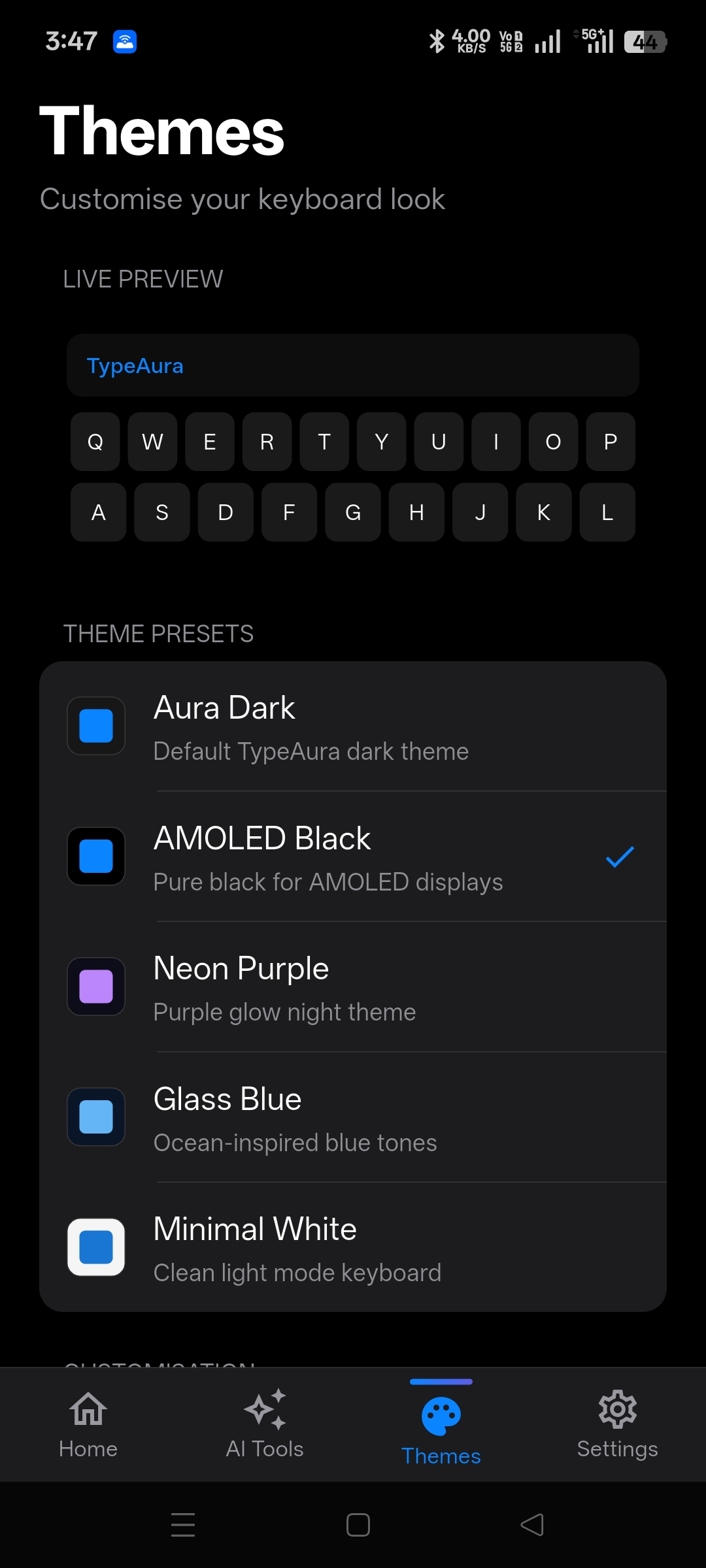
TypeAura Themes

Themes

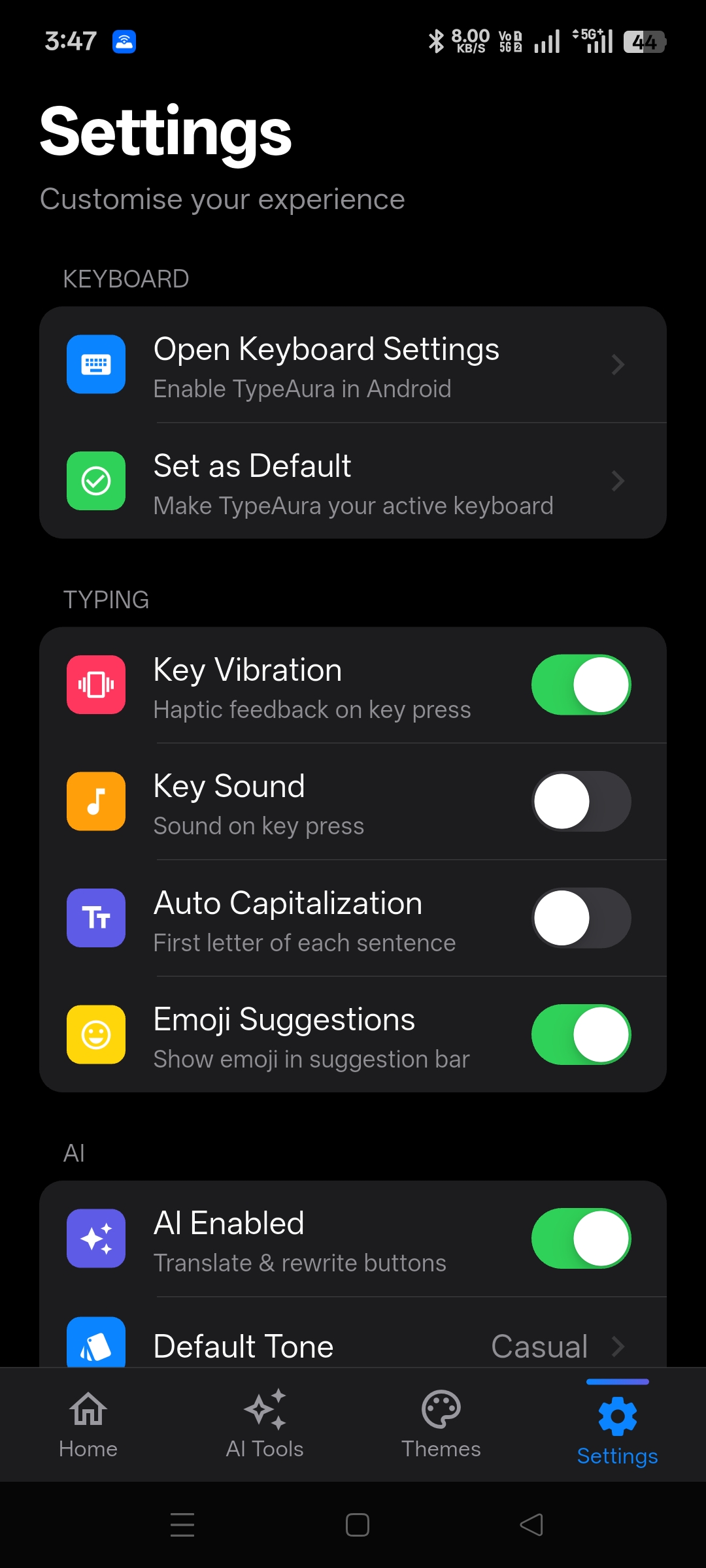
TypeAura Settings

Settings

TypeAura Keyboard

Keyboard

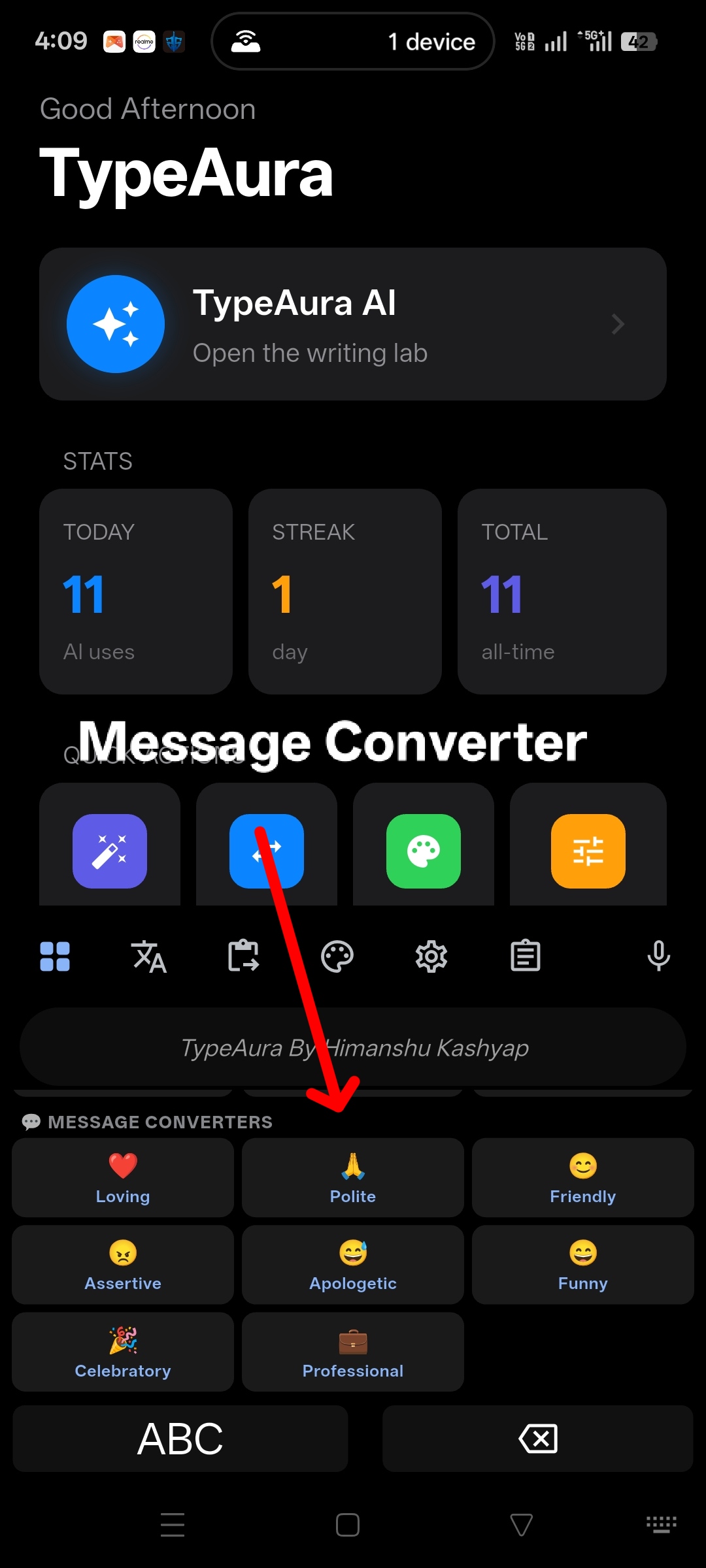
TypeAura Keyboard Massage Converter

Keyboard Massage Converter

The keyboard that understands how Indians type

Most Indians type in Hinglish, Hindi, or their regional language — but standard keyboards don't understand it. TypeAura bridges that gap with AI translation across 10+ Indian languages, a full Text Tools lab, face-to-face Live Translate, an AI Chat assistant, offline autocomplete, and a fully customizable keyboard experience.

Whether you're chatting on WhatsApp, writing emails, or posting on Instagram, TypeAura makes your words sound exactly the way you mean them — instantly, in any app.

🇮🇳 10+ Indian languages supported
🤖 LLaMA 3.3 AI inside
🗣️ Live face-to-face Translate
💬 AI Chat with 6 smart modes
↩️ Smart Reply — 3 variants instantly
✉️ Email Composer — notes to email
🎚️ Tone Changer — 6 tones
💡 Offline suggestions, no internet needed
🔒 AI off on password fields
⚡ Works in every app

Six powerful tools, one app

Tap the AI Tools tab inside TypeAura to access all six — Live Translate, Text Tools, AI Chat, Smart Reply, Email Composer, and Tone Changer.

🗣️

Live Translate

Face-to-face real-time conversation

Place your phone between two people — speak in your language, the other person sees the translation on their side of the screen, spoken aloud automatically. Supports 10+ languages.

  • ✅ Auto-speak translated text
  • ✅ 10+ Indian & global languages
  • ✅ Tap speaker to replay anytime
  • ✅ Swap languages in one tap
✍️

Text Tools

Write, fix, translate & transform

Paste any text and run it through 16+ AI tools — organized into three tabs so you always find what you need instantly.

  • Writing — Fix grammar, rewrite, formal/casual tone, shorten, expand
  • Translate — 7 Indian language pairs
  • Utility — Summarize, continue writing, smart reply
  • ✅ Quick templates with one tap
🤖

AI Chat

Smart multi-turn assistant

Ask anything — in English, Hindi, or Hinglish. AI Chat remembers the full conversation and adapts its behaviour based on the mode you pick.

  • 6 Modes — Chat, Reply, Translate, Explain, Fix, Summarize
  • ✅ Reply language selector (10+ options)
  • ✅ Multi-turn memory across messages
  • ✅ Long-press any bubble to copy
↩️

Smart Reply

New

3 instant replies from any message

Paste any message you received — WhatsApp, email, or anywhere else — and get three ready-to-send replies in seconds. Casual, friendly, or professional — pick the one that fits.

  • ✅ Casual · Friendly · Professional variants
  • ✅ Copy any reply with one tap
  • ✅ Works for any language or context
  • ✅ No typing needed
✉️

Email Composer

New

Bullet points in, polished email out

Jot down rough notes or key points, select who you're writing to, and get a complete professional email — Subject line included — in seconds.

  • ✅ Recipient types — Boss, Colleague, Client, Friend
  • ✅ Subject line auto-generated
  • ✅ Proper greeting & sign-off included
  • ✅ One-tap copy to send anywhere
🎚️

Tone Changer

New

Switch tone with one tap

Type your message in any tone — then instantly transform it to sound exactly how you want. Six tones available, with the action button changing colour to match your pick.

  • ✅ Casual · Formal · Friendly · Professional
  • ✅ Humorous · Direct
  • ✅ "Use as input" to chain multiple transforms
  • ✅ Copy result in one tap

Everything your keyboard should do

🌐

7 Indian Languages

Hinglish, Hindi, Tamil, Telugu, Marathi, Bengali → English and back. One keyboard, all languages.

✍️

Text Tools Lab

Fix grammar, rewrite, summarize, translate, smart reply — 16+ AI tools in Writing, Translate & Utility tabs.

🗣️

Live Translate

Face-to-face AI translation in 10+ languages — speaks the translation aloud automatically so conversations flow naturally.

🤖

AI Chat (6 Modes)

Multi-turn AI assistant with Chat, Reply, Translate, Explain, Fix & Summarize modes. Replies in your chosen language.

💡

Offline Suggestions

Instant autocomplete and next-word prediction without internet. Fast, private, always available.

Quick Actions Panel

8 one-tap tone converters — Loving, Funny, Professional, Polite and more — no typing needed.

🎙️

Smart Voice Input

Dictate in Hindi, English, or Hinglish. Auto-punctuation and Voice Translate insert text already translated.

📋

Clipboard History

Save up to 100 copied items. AI-enhanced paste suggestions right in the keyboard.

😄

Emoji + Suggestions

Smart emoji in the suggestion bar + full emoji panel. Never leave your keyboard to find the right emoji.

🎨

5 Themes

Aura Dark, AMOLED Black, Neon Purple, Glass Blue, and Minimal White — adjustable key radius too.

🔒

Privacy First

AI automatically disabled on password fields. Clipboard stays on your device. No text is ever stored.

↩️

Smart Reply

Paste any received message — get 3 ready-to-send replies: Casual, Friendly, and Professional. One tap to copy.

✉️

Email Composer

Turn rough bullet points into a polished email with Subject line and sign-off. Choose your recipient type first.

🎚️

Tone Changer

Instantly rewrite text in 6 tones — Casual, Formal, Friendly, Professional, Humorous, or Direct.

Up and running in 3 steps

1

Download the APK

Tap the Download button and allow APK installs from unknown sources when prompted.

Download APK
2

Enable TypeAura

Go to Settings → System → Languages & Input → On-screen keyboard and enable TypeAura.

3

Set as Default

Select TypeAura as your default keyboard when you tap any text field, and enjoy!

हिंदी में install कैसे करें?

  1. ऊपर दिए Download APK button पर tap करें।
  2. अगर phone पूछे तो "Unknown sources से install allow करें" पर हाँ करें।
  3. App install होने के बाद खोलें। अंदर "Keyboard Enable" पर tap करें।
  4. Phone के settings में जाकर TypeAura को Default Keyboard बनाएं।
  5. अब किसी भी text field पर type करें — TypeAura खुल जायेगा! 🎉

Real usage, real numbers

Stats update automatically as TypeAura grows.

📲
Total Installs
🟢
Active Users (30d)
⌨️
Keyboard Sessions
🤖
AI Actions Used
HK

Why I built TypeAura

I'm Himanshu Kashyap, a developer who's been frustrated with keyboards that don't understand how Indians actually type. We all mix Hindi and English constantly, but every keyboard out there treats it like a problem instead of a superpower.

So I built TypeAura — a keyboard that doesn't judge your Hinglish, but makes it shine. With AI translation built right into the keyboard, you can type the way you think and sound the way you want.

TypeAura is in beta and improving every week. Your usage and feedback directly shapes what gets built next.

Help us improve

TypeAura is in active development. Your feedback directly shapes what gets built next.

⬇ Download shuru ho gaya! Unknown sources se install allow karo.